How to Spot an Email Scam: A Calm, Step-by-Step Guide
This article may contain affiliate links. If you make a purchase through these links, we may earn a small commission at no extra cost to you. This helps us keep creating free content.
A scam email almost always gives itself away in the sender's address, the links it wants you to click, or a sudden demand to act fast. Once you know where to look, you can spot most of them in under ten seconds, and the rest with a little patience. Nothing in your inbox can hurt you just by being read. The danger starts only when you click a link, open an attachment, or type a password into the wrong place.
Scam emails are designed to bypass your common sense by triggering fear or excitement. A message says your bank account is frozen, a parcel is stuck, or you have won a prize. The feeling comes first, the thinking second, and the scammer is counting on exactly that order.
You will learn the handful of checks that reveal almost every fake: reading the real sender address, hovering over links without clicking, treating attachments as suspect, and recognising the emotional tricks. None of it requires technical skill. It requires only the habit of pausing before you click.
Check the real sender address, not the display name
The name you see at the top of an email is just a label, and anyone can type anything there. A scammer can put "Amazon Customer Service" or "PayPal Security" as the name while the actual email address behind it is something completely different. The display name is decoration. The address is the evidence.
To see the real address, tap or click the sender's name. On an iPhone or Android phone, tap the name at the top of the open message and the full address appears. On a computer, the address usually sits in grey next to the name, or appears when you hover your mouse over it. A message from your bank should come from the bank's own domain, the part after the @ sign, such as @barclays.co.uk or @chase.com. If it reads @secure-account-verify.com or @amaz0n-support.net, it is fake.
Watch for small spelling tricks inside the domain. Scammers register addresses like @paypa1.com with the number one instead of a letter l, or @microsoft-support.info instead of the plain @microsoft.com. The brand name might be spelled correctly but bolted onto a strange ending. The real company almost never uses a long, hyphenated, or unusual domain for official mail.
Hover over links before you click anything
The blue text or button in an email can say one thing and lead somewhere else entirely. "Click here to verify your account" might be linked to a copycat website built to steal your password. The visible words are not the destination. The hidden web address underneath is, and you can reveal it without clicking.
On a computer, rest your mouse pointer on the link without pressing the button. After a second, the true web address appears, usually at the very bottom of the screen or in a small pop-up. On a phone, press and hold the link with your finger, and a preview of the address appears so you can read it and then let go. Read that address carefully. The first part, before the first single slash, is the website you would actually visit.
A legitimate link to your bank goes to the bank's own website. A scam link goes to a lookalike, such as a long string of random letters, a shortened link that hides its destination, or a brand name buried in the middle of a different domain like login.yourbank.account-check.ru. When in doubt, do not click the link at all. Open a new browser tab and type the company's website address yourself, or use the app you already have installed.
| Red flag in the email | What a scammer is doing | Your safe response |
|---|---|---|
| Sender address has an odd domain (@amaz0n-help.net) | Imitating a trusted brand with a fake address | Delete it; the domain is the proof |
| Link text and hidden address do not match | Sending you to a fake login page | Hover or hold to check, then type the real site yourself |
| Unexpected attachment (invoice.zip, receipt.html) | Hiding a virus or password-stealer in the file | Do not open it; verify with the company first |
| "Act within 24 hours or your account closes" | Rushing you past your own judgement | Slow down; real companies give proper notice |
| "Dear Customer" with no name, generic greeting | Mass-sending the same message to thousands | Be more suspicious; your real bank knows your name |
| Asks for a password, PIN, or full card number by reply | Harvesting your details directly | Never reply; no real bank asks this by email |
Treat unexpected attachments as the most dangerous part
An attachment you were not expecting is the riskiest thing in any email. A document, a zip file, or a file ending in .html can carry a hidden program that installs itself the moment you open it. The polite-looking name on the file, such as Invoice_April.pdf or Delivery_Details.zip, is part of the disguise. The file type and the fact that you did not ask for it matter far more than the name.
Be especially wary of file names ending in .zip, .exe, .html, or .scr, and of documents that ask you to "enable content" or "enable macros" when you open them. That request is a trap, because enabling content lets the file run instructions on your device. A real receipt from a shop you used does not need you to switch anything on.
If an email about a delivery, an invoice, or a tax refund arrives with an attachment, do not open the file to find out what it is. Go to the company another way. Open the parcel firm's app, log into your account on the website you type yourself, or phone the number printed on a real letter or the back of your card. If the matter is real, you will find it there. If there is nothing there, you have just dodged the scam.
Recognise the emotional tricks scammers reuse
Almost every scam email pulls one of a few emotional levers, and naming the lever breaks its power. Fear is the most common: a frozen account, a security breach, a fine, a parcel held at customs. Urgency rides alongside it, with deadlines of 24 or 48 hours so you feel there is no time to check. The feeling of panic is the product the scammer is selling.
Greed and curiosity are the other levers. You have won a prize, inherited money, or received a refund you did not request. A package is waiting but the address could not be confirmed. These messages feel like good news or a small mystery, and that pleasant pull lowers your guard just as effectively as fear does. Treat unexpected good news in email with the same caution as unexpected bad news.
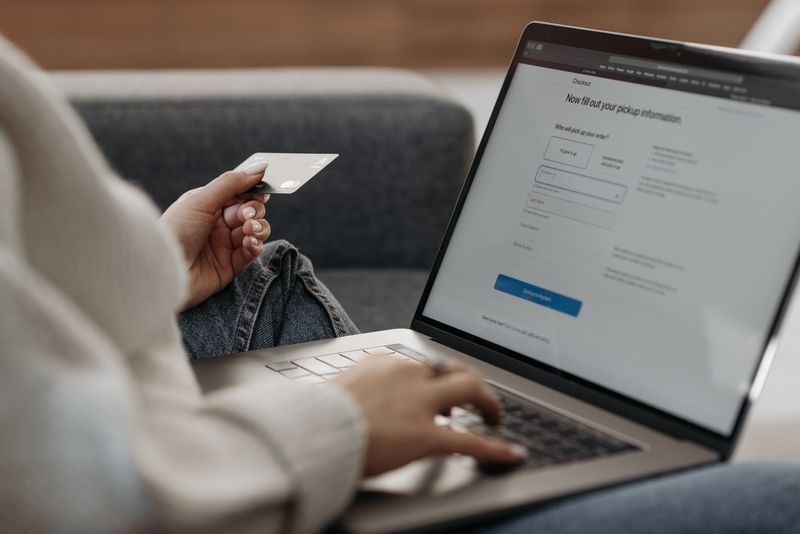
The defence is the same in every case. Notice the strong feeling, then deliberately slow down. A real bank, government office, or delivery company will never lose your business because you took an hour to verify. Scammers need speed. Taking that speed away takes away their advantage.
What to do if you already clicked or replied
Clicking a bad link or opening one attachment does not guarantee disaster, and panic is the worst response. Take the steps below in order, calmly. The sooner you act, the more you protect, but even a day later it is worth doing.
- If you typed a password into a website from the email, change that password straight away on the real site, and change it anywhere else you used the same one.
- If it involved your bank or card, phone the number on the back of your card and tell them. They can watch the account and stop fraudulent payments.
- If you opened an attachment, do not type any passwords or card details on that device until it has been checked. Run your antivirus, or ask a trusted family member or a repair shop to look at it.
- Turn on two-step verification for your email and bank if you have not already. It means a thief needs a second code from your phone even if they have your password.
- Watch your statements for the next few weeks and report anything you do not recognise.
Falling for a clever scam is not a sign of foolishness. These messages are crafted by people who do this full time, and even careful, experienced users get caught off guard. What matters is acting quickly afterward and learning the pattern so the next one is easier to spot.
Why scam emails are getting harder to spot
The old advice of "look for bad spelling" no longer protects you on its own. Many scam emails today are written in clean, professional language, copy a company's real logo and layout exactly, and even include genuine footer text lifted from the real business. The polished look is not a sign of safety. Criminals have simply got better at copying.
Two newer tricks deserve a mention. The first is the lookalike reply, where a scammer copies a real email chain you were part of, such as a conversation with a builder or a solicitor, and slips in fake bank details for a payment. Always confirm any change of payment details by phone, using a number you already had, before you send money. The second is the fake invoice for a subscription you supposedly hold, designed to make you phone a "support" number where a person talks you into paying or handing over remote access to your computer.
None of this changes the core defence. The sender address, the real link destination, the unexpected attachment, and the pressure to hurry still give the game away. Polish on the surface does not change what lies underneath, so keep running the same checks no matter how convincing a message looks.
Build a simple ten-second habit
You do not need to memorise every trick to stay safe. You need one short routine that runs automatically before you ever click. Tap the sender to read the actual address. Hover or hold any link to see where it actually goes. Distrust any attachment you did not expect. Notice when a message is trying to make you panic or excited.
When a message passes all four checks and still feels off, trust that feeling and verify the slow way. Go to the company through their app or by typing their address yourself. This costs you a minute or two and removes nearly all the risk. The small inconvenience is the price of never having to untangle a stolen account.
Over time these checks stop feeling like work and become as natural as locking the front door. You will start spotting the fakes at a glance, and the occasional clever one will still trip the habit before it tricks you.
Frequently asked questions
Can I get a virus just by opening an email?
Almost never from simply reading the message in a normal app like Gmail, Outlook, or phone Mail. The risk comes from opening an attachment or clicking a link inside the email. Read freely; click carefully.
My bank's email looks real. How can I be sure?
Do not decide inside the email at all. Close it, open your banking app or type the bank's website address yourself, and check for the same message there. Real alerts also appear in your account, not only by email.
Is it safe to reply and ask if the email is real?
No. If it is a scam, you are replying straight to the scammer, and you have confirmed your address is active. Verify through the company's official app, website, or phone number instead.
What is phishing exactly?
Phishing is when a fake email (or text or website) pretends to be a trusted company to trick you into giving up passwords, card numbers, or personal details. The word sounds like "fishing" because they cast out bait and wait for someone to bite.
Should I click the unsubscribe link to stop scam emails?
Not on a suspected scam. With real newsletters, unsubscribe is fine. On a scam, that link can confirm your address is live or lead somewhere harmful. Use "Report spam" instead and delete it.
What if I am not sure whether something is a scam?
Treat it as a scam until proven otherwise. Do not click, do not reply, do not open attachments. Contact the company the slow, safe way. Being cautious about a real email costs you nothing; trusting a fake one can cost a great deal.
Will my spam filter catch all the scams for me?
It catches many of them, which is why your junk folder fills up, but it cannot catch every one. Newer or carefully targeted scams slip into your main inbox precisely because they are designed to look normal. The filter is a helpful first line, not a complete shield, so keep doing the checks yourself on anything that reaches you.
Can scammers see whether I opened their email?
Sometimes, through tiny tracking images hidden in the message, which is one more reason not to engage. The safe move is to avoid clicking anything and to report and delete the message. If you are very cautious, you can set your email app to ask before loading images, so those trackers do not fire automatically.
🛠️ Free tools for this topic
No sign-up. They do the calculating and checking for you.
Published by the TechGranddad editorial team. Published May 29, 2026. Updated June 5, 2026.
Editorial responsibility: see Imprint.
Spotted an error or have something to add? corrections@techgranddad.com
Simple Tech Tips, Weekly
One practical tip every week — video calls, smartphone tricks, and how to stay safe online. No jargon, no overwhelm.
🎁 Free bonus: The Senior Tech Starter Guide (PDF)
You might also like
What Is Phishing? How to Spot and Stop Fake Messages
Phishing is a fake message pretending to be from a company you trust. Here is how to spot the warning signs, check links safely, and stay protected.
You Clicked a Scam Link: What to Do Right Now
A calm, ordered emergency guide for after you click a scam link: disconnect, change exposed passwords, contact your bank, clean up the device, and report it.
Facebook Privacy Settings: A Plain-English Walkthrough
A plain-English walkthrough of the Facebook privacy settings that matter most: default post audience, friend requests, tag review, hiding personal details, and two-factor login.
📖 All articles on TechGranddad →
Browse our other articles