Phone Stolen? Do These 7 Things in the First Hour
This article may contain affiliate links. If you make a purchase through these links, we may earn a small commission at no extra cost to you. This helps us keep creating free content.

A stolen phone gives a thief two things at once: a device worth a few hundred dollars and a doorway into your email, bank and photos. The hardware matters far less than the accounts behind it. The first hour is what counts, and almost everything you need to do can be done from a friend's phone, a library computer or a laptop at home.
The steps below work whether you have an iPhone or an Android phone, and none of them cost money. You do not need to be a technical person to follow them. Take them in order, because the early steps protect your money and the later ones deal with the device itself.
Step 1: Lock the phone from another device
Locking the phone remotely is the single fastest way to stop a stranger getting into it. For an iPhone, go to iCloud.com/find in any web browser and sign in with your Apple ID (the email and password you use for the App Store). For an Android phone, go to google.com/android/find and sign in with your Google account. Both sites show your phone on a map and offer a button to lock it.
When you choose Lost Mode (iPhone) or Secure device (Android), the phone locks with a passcode and you can put a message and a callback number on the screen. That message is useful if a kind stranger finds the phone, and it does no harm if a thief has it. The lock takes effect the moment the phone next touches the internet, even if it is switched off right now.
- Open a web browser on any device you can borrow.
- Go to iCloud.com/find (iPhone) or google.com/android/find (Android).
- Sign in with the same account your phone uses.
- Select your phone from the list of devices.
- Choose Lost Mode or Secure device and confirm.
Step 2: Call your phone carrier and suspend the line
Your carrier (the company you pay for service, such as Verizon, AT&T or T-Mobile) can suspend the SIM so the thief cannot make calls, burn through your data or rack up charges. Call their customer line or use their website. Tell them the phone was stolen and ask them to suspend service and, if you want, block the device by its IMEI number.

The IMEI is a 15-digit serial number unique to the phone. You will find it on the original box, on a receipt, or inside your Apple or Google account under your list of devices. Carriers can add a stolen IMEI to a shared blocklist, which makes the phone much harder to reactivate on another network. This step protects your bill and reduces the phone's resale value to the thief.
Step 3: Change your most important passwords
Your email password comes first, because email is the master key. Anyone who controls your email can reset the password on almost every other account by clicking "forgot password" and reading the reset link. Change your email password from a computer or a borrowed phone right away, and pick something you have not used anywhere else.
After email, work down a short priority list: your bank, then any payment apps such as PayPal, then your Apple ID or Google account, then social media. You do not need to change everything in one sitting. Cover money and email in the first hour, and handle the rest over the next day.
| Account | Why it matters | Priority |
|---|---|---|
| Resets every other password | First | |
| Bank / card app | Direct access to money | Second |
| PayPal / payment apps | Can send money instantly | Third |
| Apple ID / Google | Controls the phone and backups | Fourth |
| Facebook / WhatsApp | Used to scam your contacts | Fifth |
Step 4: Tell your bank and watch your statements
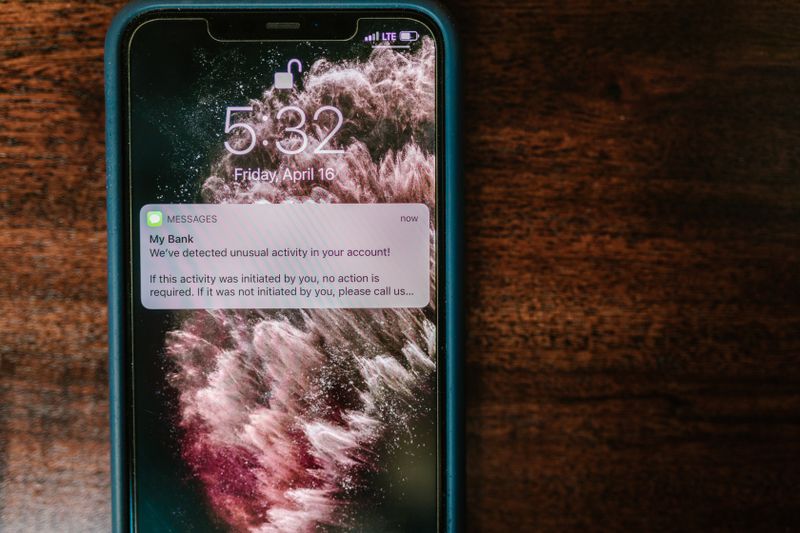
Banking apps usually sit behind a fingerprint, a face scan or a separate passcode, so a thief rarely gets straight in. Even so, call your bank's fraud line and tell them the phone was stolen. They can flag the account, watch for odd activity and, if you ask, freeze a card. Most banks have a 24-hour fraud number printed on the back of your card.

For the next few weeks, glance at your statements more often than usual. A thief who does get into an account often makes a tiny test charge first, then a larger one. Spotting that small charge early lets the bank reverse everything before it grows.
Step 5: Turn off Apple Pay or Google Pay
If you tapped your phone to pay in shops, your cards live in a digital wallet. From the same iCloud.com or google.com/android/find page you used in Step 1, you can suspend or remove those cards remotely. On an iPhone, choosing Lost Mode also pauses Apple Pay automatically, which is one more reason to do Step 1 promptly.
Removing the cards from the wallet does not cancel your real cards or affect your bank account. It simply stops the stolen phone from being tapped at a checkout. You can add the cards back to your new phone later in a couple of minutes.
Step 6: Report the theft to the police
File a police report even if you doubt the phone will be found. Many home, travel and phone insurance policies will only pay out if you have a report with a crime reference number. Give them the IMEI number from Step 2, the make and model, and roughly where and when it was taken.
The report also protects you if the thief uses the phone or your identity to do something illegal. It creates a dated record that the device left your hands. In many areas you can file the report online without going to a station.
Step 7: Erase the phone only when you have given up on recovery
Erasing wipes the phone clean from a distance, which is the strongest protection for your data. The catch is that on an iPhone, a fully erased phone can no longer be tracked on the map, so do this only once you have stopped expecting it back or the police have what they need. Android offers a similar "Erase device" button on its find page.
Even after a full erase, an iPhone stays locked to your Apple ID through a feature called Activation Lock, so a thief cannot set it up as their own. Your backups are untouched. When your replacement arrives, you sign in with the same Apple or Google account and your contacts, photos and messages flow back onto the new phone.
How to make the next theft far less painful
Two small habits turn a stolen phone from a crisis into an annoyance. First, set a six-digit passcode rather than a four-digit one, and turn on the fingerprint or face unlock so you are not tempted to use a short, guessable code. Second, switch on automatic backups so your photos and contacts copy to iCloud or Google by themselves every night.
Write your Apple ID or Google email and password somewhere safe at home, such as a sealed envelope in a drawer. The most common reason people cannot lock a stolen phone is that they cannot recall the account password in the panic of the moment. Knowing it turns a 20-minute scramble into a 5-minute task.
Frequently asked questions
Can a thief get past my passcode? Not easily. Modern iPhones and Android phones encrypt their storage, and after several wrong guesses they slow down or lock for longer periods. A strong six-digit code is a serious barrier, which is exactly why locking it in Step 1 matters so much.
Will I lose my photos? No, as long as they were backed up. Photos saved to iCloud or Google Photos sit on the company's servers, not only on the phone. Erasing the device removes them from the stolen phone but leaves the backup intact for your next one.
What if I had no passcode at all? Then the priority shifts even harder to Steps 1 to 4: lock the phone remotely at once, suspend the SIM, and change your email and banking passwords immediately. Without a passcode the thief has a head start, so speed is everything.
Should I keep paying for the line while it is suspended? A suspended line usually stays on your account at little or no charge for a short period, which keeps your phone number reserved for your replacement. Ask your carrier how long the suspension can last. When your new phone arrives, they move your old number across so friends and family never notice the change.
🛠️ Free tools for this topic
No sign-up. They do the calculating and checking for you.
Published by the TechGranddad editorial team. Published September 30, 2026.
Editorial responsibility: see Imprint.
Spotted an error or have something to add? corrections@techgranddad.com
Simple Tech Tips, Weekly
One practical tip every week — video calls, smartphone tricks, and how to stay safe online. No jargon, no overwhelm.
🎁 Free bonus: The Senior Tech Starter Guide (PDF)
You might also like

The Microsoft Scam Phone Call: How It Works and How to Hang Up Safely
Microsoft never phones you about a virus. Here is how the fake Microsoft support scam call works, the warning signs, and exactly what to do.

Facebook Privacy Settings: A Plain-English Walkthrough
A plain-English walkthrough of the Facebook privacy settings that matter most: default post audience, friend requests, tag review, hiding personal details, and two-factor login.
The iPhone Security Settings Checklist Worth 20 Minutes of Your Time
Eleven iPhone settings control how safe your phone, accounts and money are. This plain-English checklist tells you exactly where to tap, in about 20 minutes.
📖 All articles on TechGranddad →
Browse our other articles