Is This Website Safe? How to Check Before You Trust It
This article may contain affiliate links. If you make a purchase through these links, we may earn a small commission at no extra cost to you. This helps us keep creating free content.
A safe website protects the information you type into it and is run by the company it claims to be. Before you enter your card number, your address, or your password anywhere, there are a handful of quick checks that tell you whether a site is trustworthy. None of them require any technical skill, and together they catch the great majority of scam and copycat sites.
Scammers build fake versions of real shops and banks because it works on people who are in a hurry. Slowing down for thirty seconds is your best protection. Once you know what to look at, spotting a dodgy site becomes second nature, and you'll shop and bank online with a lot more confidence.
Start with the padlock and the address
Look at the very top of your browser, in the bar that shows the website's address. On a safe site you'll see a small padlock icon and an address that begins with "https." The "s" stands for secure, and it means the information you send to the site is scrambled so nobody can read it in transit. If the padlock is missing or the address says only "http," never type a password or card number there.
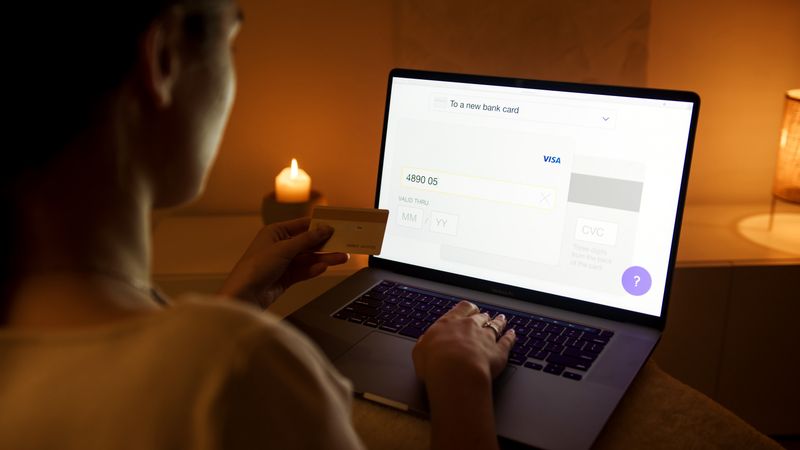
The padlock alone is not proof that a site is trustworthy, though. It only proves the connection is encrypted. Scammers can get a padlock too. So treat it as a first gate: no padlock means stop, but a padlock present means keep checking the other signs below.
The address itself matters even more than the padlock. Read it slowly, letter by letter. Real companies use their proper name, like amazon.com or your bank's exact web address. Fakes use lookalikes such as amaz0n-deals.com or paypa1-secure.net. The trick is a tiny change you'd miss at a glance, like a zero in place of an "o" or an extra word bolted on.
Quick checks anyone can do
A few simple looks at a site reveal most fakes. You can run through this list in under a minute, and you don't need to install anything or be "good with computers" to do it.
| Check | Good sign | Warning sign |
|---|---|---|
| Web address | Exact, correct company name | Misspelling, extra words, odd ending like .ru or .top |
| Padlock | Padlock shown, address starts "https" | No padlock, "Not secure" warning |
| Spelling & grammar | Clean, professional writing | Typos, broken English, strange spacing |
| Prices | In line with everywhere else | Far too cheap, "90% off" on everything |
| Contact details | Real address, phone, returns policy | No address, only a web form, no phone |
| Pressure | You can take your time | Countdown timers, "3 people watching now" |
Any single warning sign is a reason to slow down. Two or more together, and you should close the page and find the company another way. A real bargain does not vanish because you took a minute to check who you're buying from.
Watch the price and the pressure
An offer that seems too good to be true is the oldest trap online, and it still catches people every day. When a brand-new iPad shows up at a quarter of its normal price, the most likely explanation is not a generous shop. It is a fake one collecting card numbers. Compare the price against a site you already trust before you believe a deal.
Pressure is the other big tell. Scam sites love countdown clocks, "only 2 left," and pop-ups saying other people are buying right now. Those tricks exist to stop you thinking. A trustworthy shop is happy to let you browse, sleep on it, and come back tomorrow. If a page is trying to rush you, that urgency is the warning, not the deal.
Look up the company before you pay
If you have never heard of a shop, spend a moment finding out who they are. Type the company name into a search engine along with the word "reviews" or "scam." Other shoppers are quick to post when a site has taken their money and sent nothing, and those warnings save you from the same fate.
Be a little wary of reviews on the shop's own website, since a scammer can write glowing ones about themselves. Reviews on an independent site carry far more weight. It is also reassuring when a site has a real street address, a working phone number, and a clear returns policy. Fake shops tend to hide their contact details because they don't want to be found.
A site that has been around for years and is widely talked about is a safer bet than one that appeared last week with unbelievable prices. There is no harm in being the cautious one. The trustworthy shops will still be there after you've checked, and the fakes are exactly the ones hoping you won't.
How to pay so you stay protected
How you pay matters as much as where you shop. A credit card gives you the strongest protection, because the card company can reverse a charge if goods never arrive or turn out to be fake. Many debit cards offer similar cover, and trusted services like PayPal add another layer between your bank details and the seller.
Avoid any site that asks you to pay by bank transfer, gift cards, or a wire service for ordinary shopping. Those methods are favourites with scammers precisely because the money is almost impossible to get back once it's gone. A real shop selling a kettle will never insist you pay in gift cards. If one does, that demand is the scam revealing itself.
It is also worth keeping an eye on your statements after a purchase from somewhere new. A quick monthly glance catches any charge you don't recognise early, while your bank can still help. Spotting a problem in week one is far easier to sort out than spotting it months later.
What to do if you're not sure
When a site leaves you uneasy, trust that feeling and step away. There is no obligation to buy, and closing the tab costs you nothing. You can always find the same product on a shop you already know, even if it's a little more, and pay for the peace of mind.
If you have already entered card details somewhere that now worries you, ring your bank straight away using the number on the back of your card. They deal with this every day and can watch your account or issue a new card. Acting quickly limits any damage, and you will not be the first person to call them about it.
The goal is not to make you nervous about going online. The internet is full of safe, useful shops and services. It is simply about building a thirty-second habit: check the address, check the padlock, check the price, and check who you're dealing with before you hand over anything that matters. Do that, and you've shut the door on most of the trouble out there.
Common questions about website safety
Is a site with a padlock always safe? No. The padlock only tells you the connection is scrambled so nobody can eavesdrop on what you type. A scammer can put a padlock on a fake site just as easily as a legitimate shop can. Use the padlock as one check among several, never as the whole answer on its own.
What does it mean when my browser says "Not secure"? That message appears when a site doesn't scramble your information. For a page where you're only reading, like a news article, it's not a crisis. But if a "Not secure" page asks for a password, a card number, or any personal detail, don't type it. Leave and find the company through a search instead.
Are well-known shops always safe? The real Amazon, eBay, and big retailers are safe, yes. The danger is copycats using a slightly wrong web address to impersonate them. So the question isn't whether a brand is trustworthy, it's whether you're actually on that brand's real site. Always check the address spells the company's name correctly before you sign in or pay.
How do I check a link before clicking it? On a computer, rest your mouse pointer over the link without clicking, and the real destination appears at the bottom of the screen. On a phone, press and hold the link for a second and a preview pops up. If the address that appears doesn't match the company the message claims to be from, don't tap it.
🛠️ Free tools for this topic
No sign-up. They do the calculating and checking for you.
Published by the TechGranddad editorial team. Published October 19, 2026.
Editorial responsibility: see Imprint.
Spotted an error or have something to add? corrections@techgranddad.com
Simple Tech Tips, Weekly
One practical tip every week — video calls, smartphone tricks, and how to stay safe online. No jargon, no overwhelm.
🎁 Free bonus: The Senior Tech Starter Guide (PDF)
You might also like
The iPhone Security Settings Checklist Worth 20 Minutes of Your Time
Eleven iPhone settings control how safe your phone, accounts and money are. This plain-English checklist tells you exactly where to tap, in about 20 minutes.
Android Security Settings Checklist: 12 Things to Turn On Today
Twelve Android security settings to switch on today, explained step by step, to protect your accounts, photos and money in about twenty minutes.
Two-Step Verification Explained: Simple Setup for Seniors
What two-step verification is, why it protects you even if your password leaks, and how to switch it on for email, bank, Apple, and Google.
📖 All articles on TechGranddad →
Browse our other articles