Doro Phone Review: Are These Senior-Friendly Phones Worth Buying?
This article may contain affiliate links. If you make a purchase through these links, we may earn a small commission at no extra cost to you. This helps us keep creating free content.
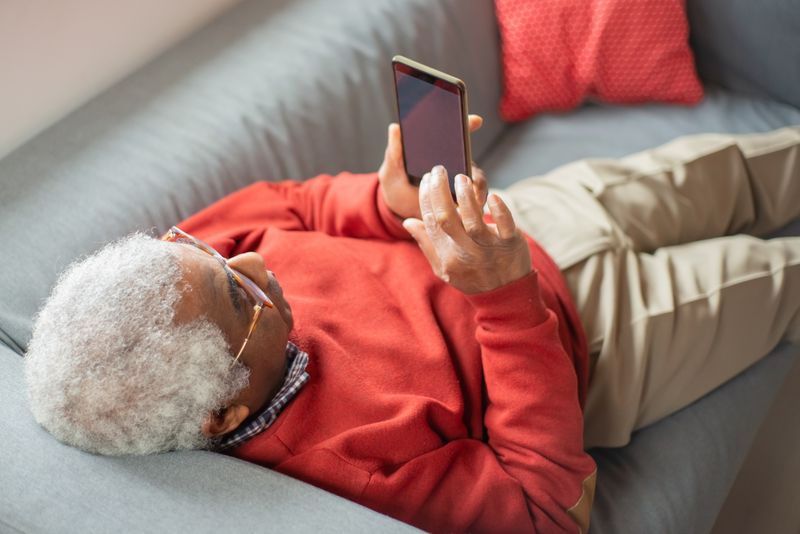
Doro builds phones designed around large text, loud sound, and physical buttons you can feel, aimed squarely at people who find mainstream smartphones fiddly. The company has made phones for older users since the 1970s, and its current line splits into two clear types: simple button phones starting around $60 and easier-to-use Android smartphones in the $150 to $250 range. Whether one is right for you depends entirely on whether you want a smartphone at all.
The appeal is real and easy to explain. Buttons give a satisfying click so you know the press registered, the screen text is bigger than standard, the earpiece is loud enough for reduced hearing, and most models include a dedicated emergency button on the back. The trade-off is also clear: a simple Doro will not run WhatsApp or do video calls, while the smartphone Doros do run those apps but cost more and still ask you to learn a touchscreen.
What Doro actually makes
Doro's button phones, sometimes shown as bar phones or flip phones, focus on the basics done well. Models like the Doro 2880 flip phone and the Doro 7080 keep real number keys, a clear screen, and very loud sound. They handle calls and text messages, and that is mostly it. There is no app store, so they cannot run WhatsApp, FaceTime, or video calling. For someone who only wants to ring family and send the occasional text, that simplicity is the point.
Doro's smartphones, such as the Doro 8210 and similar models, run Android with a simplified layout on top. Instead of a busy grid of tiny icons, you get large tiles for Call, Message, Camera, and so on, often with a built-in step-by-step coach that teaches you one feature at a time. These can do video calls and run common apps, while still being gentler than a standard phone from a big brand.
Both types usually include a physical emergency button on the back, sometimes called an assistance button. When held down, it can call or text a list of people you choose in advance, which gives many families peace of mind.
Doro models and rough US prices
Doro Leva E10 Senior Phone
Big high-contrast buttons, loud clear sound and an emergency button, built for simplicity.
As an Amazon Associate we earn from qualifying purchases.
| Model | Type | Rough US price | Runs apps / video calls? | Best for |
|---|---|---|---|---|
| Doro 2880 | Flip button phone | $60–$90 | No | Calls and texts only, pocket-friendly |
| Doro 7080 | Flip phone with WhatsApp | $110–$150 | Limited (WhatsApp, basics) | Buttons plus simple messaging |
| Doro 8210 / 8100 | Android smartphone | $150–$220 | Yes | Video calls with a simpler screen |
| Doro 6880 | Button bar phone | $70–$110 | No | Loud sound, big keys, basic use |
Prices shift with sales and retailers, so treat these as estimates rather than fixed figures. Availability in the US is narrower than in Europe, where Doro is more common, so you may need to check a specialist accessibility retailer or a large online store rather than a typical phone shop.
What works well
Sound quality is the standout strength. Doro tunes the earpiece and speaker to be loud and clear, and most models are rated as hearing-aid compatible, which matters a great deal if standard phones sound muffled to you. The ringtone is loud enough to hear from the next room, a small thing that turns out to be a frequent relief for people who keep missing calls.
The physical buttons on the button models give real feedback. You feel the key go down and you hear the press, so there is no guessing whether it worked. The text and icons are sized up by default, and contrast is strong, which reduces squinting. On the smartphone models, the simplified home screen strips away the clutter that makes a normal phone overwhelming on day one.
The emergency button is the feature families mention most. You set up a short list of trusted contacts, and a long press alerts them. It is not a monitored medical alarm service, so it will not summon an ambulance on its own, but for staying reachable in a fall or a worry it adds a layer of reassurance that a normal phone lacks.
Where Doro falls short
The button phones cannot do video calls, full stop. If seeing your grandchildren's faces is the goal, a flip Doro is the wrong tool, because it has no app store and no FaceTime or full WhatsApp video. The Doro 7080 adds basic WhatsApp messaging, but it is still not a comfortable way to do regular video calls.
The Android smartphones cost more than the simplicity might suggest. For $150 to $220 you can also buy a mainstream budget smartphone with stronger long-term software support. Doro's value is the simplified layout and the buttons, not raw power, so you are paying for ease of use rather than speed. The cameras are basic and the processors are modest, which is fine for calls and messages but noticeable if you want to browse heavily.
US availability is the other real drawback. Doro is a European company, and not every model reaches American shelves or supports every US carrier's network bands. Always confirm the specific model works on your carrier before buying, especially with smaller prepaid networks.
Who should buy a Doro and who should skip it
Buy a Doro button phone if you want calls and texts with real keys, loud sound, and no interest in apps or video. For that person the Doro 2880 flip at $60 to $90 is a sensible, affordable pick that does its narrow job very well. The physical buttons and loud earpiece are worth more than any spec sheet to someone who finds touchscreens frustrating.
Buy a Doro smartphone, like the 8210, if you do want video calls and WhatsApp but find a normal phone overwhelming and value the gentler layout and the coaching feature. Skip Doro entirely if you are already comfortable with a touchscreen, since a mainstream budget Android or a basic iPhone SE will give you more capability for similar money. The clearest recommendation: a Doro earns its price when ease of use is your top priority, and it is the right choice for a confident button-phone user or a nervous first-time smartphone owner who needs hand-holding.
Frequently asked questions
Can a Doro phone do WhatsApp video calls? Only the Android smartphone models, such as the Doro 8210, run full WhatsApp with video calling. The simple button and flip models cannot, apart from the 7080 which offers basic WhatsApp messaging without comfortable video.
Will a Doro work with my US carrier? Many do, but not all models are sold or certified in the US, so coverage varies. Check the exact model against your carrier before buying, particularly on prepaid or smaller networks, since some bands may not be supported.
Is the emergency button a medical alarm? No. It alerts the contacts you choose by call or text. It does not connect to a 24-hour monitoring center or send paramedics. For that, you need a separate medical alert subscription service.
How much should I expect to pay? Simple button phones run roughly $60 to $110, and the easier Android smartphones run roughly $150 to $250. Prices move with sales, so these are estimates rather than fixed numbers.
Are Doro phones good for someone with shaky hands or poor eyesight? Yes, that is the audience Doro designs for. The keys on the button models are large and spaced apart, so a slightly shaky finger is less likely to hit the wrong one. The text size is bigger than standard out of the box, and the high-contrast display helps tired eyes. If you struggle with the tiny on-screen keyboards of a normal smartphone, the physical keys of a button Doro are far easier to manage.
Can family help me set one up from a distance? On the Doro smartphone models, family members can use a companion app to help adjust your settings and add contacts remotely once you allow it. That means a son or daughter can sort out the trickier setup over the phone instead of in person, which is a quiet bonus that mainstream phones do not offer in such a simple form.
🛠️ Free tools for this topic
No sign-up. They do the calculating and checking for you.
Published by the TechGranddad editorial team. Published October 12, 2026.
Editorial responsibility: see Imprint.
Spotted an error or have something to add? corrections@techgranddad.com
Simple Tech Tips, Weekly
One practical tip every week — video calls, smartphone tricks, and how to stay safe online. No jargon, no overwhelm.
🎁 Free bonus: The Senior Tech Starter Guide (PDF)
You might also like

How to Turn On Accessibility Features on Android
Every Android phone has a free Accessibility menu for bigger text, better contrast, a magnifier and louder sound. Here is how to turn each one on, step by step.
How to Turn On Accessibility Features on Your iPhone (Step by Step)
A plain, step-by-step walkthrough of the most useful iPhone Accessibility features: bigger text, the magnifier, screen reading aloud and clearer sound. All free and reversible.
Best Large-Button Phones for 2026 (Easy to See, Easy to Hear)
A buying guide to large-button phones for 2026, covering loud home phones and senior flip mobiles with emergency buttons, prices, and clear picks.
📖 All articles on TechGranddad →
Browse our other articles