Best Smartphones for Seniors in 2026: 5 Easy Picks
This article may contain affiliate links. If you make a purchase through these links, we may earn a small commission at no extra cost to you. This helps us keep creating free content.

A good smartphone for an older user costs between $130 and $1,000, and the price has very little to do with how easy it is to hold, hear, and read. The phones that work best after 60 share a few simple traits: a screen big enough to read without squinting, a loud clear speaker for calls, buttons and text you can make larger, and a battery that lasts a full day. This buying guide names five concrete models across that price range, tells you who each one suits, and explains the handful of features that actually matter so you can choose with confidence.
You do not need the newest or most expensive phone. You need the right one for your eyes, your hands, and the people you call most. Every phone below is sold widely in the United States and runs either Android or Apple's iOS, the two systems your family almost certainly already uses.
What actually matters in a phone after 60
Screen size and clarity come first. A 6.1-inch screen or larger gives you room to enlarge the text and still see a full sentence. Both Apple and Android let you push the font up to a size that reads comfortably at arm's length, and they let you zoom the whole screen with a triple-tap if you ever need to read something tiny.

Call audio is the feature most people forget to check. A phone with a strong earpiece and a loud speakerphone makes the difference between hearing your grandchild clearly and asking them to repeat everything. Phones that support hearing aids over Bluetooth, which most modern models do, are worth seeking out if you wear them.
The last three things to weigh are weight, battery, and how the phone unlocks. A lighter phone is kinder to arthritic hands over a long call. A battery rated for a full day means no anxious charging at lunchtime. And a fingerprint sensor or face unlock saves you typing a code dozens of times a day, though every phone here also lets you keep a simple passcode if you prefer.
The five phones worth buying
Apple iPhone SE
The most affordable iPhone, with a familiar feel and the longest software support.
As an Amazon Associate we earn from qualifying purchases.
The list below spans a true budget option, two mid-range all-rounders, a dedicated simple phone, and one premium pick for people who want the best camera for family photos. Prices are approximate US retail and drop further when an older model is discounted.
| Phone | System | Screen | Rough US price | Best for |
|---|---|---|---|---|
| Apple iPhone SE (newest) | iOS | 4.7 in | $430 | Smaller hands, a real Home button |
| Apple iPhone 15 | iOS | 6.1 in | $700 | Family already on iPhone/FaceTime |
| Samsung Galaxy A16 | Android | 6.7 in | $200 | Big screen on a small budget |
| Google Pixel 8a | Android | 6.1 in | $400 | Simple software, long updates |
| Jitterbug Smart5 (successor) | Android (simplified) | 6.7 in | $150 | The simplest possible menu |
Ad · Model names link to Amazon. As an Amazon Associate we earn from qualifying purchases.
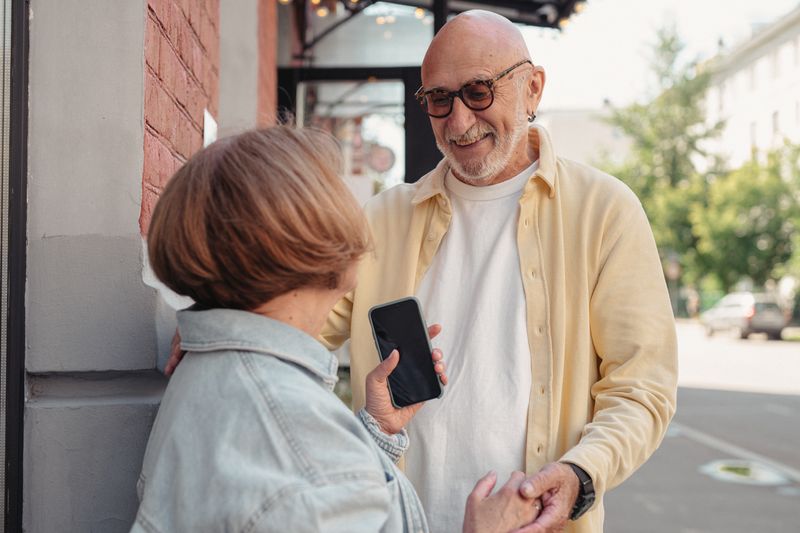
Apple iPhone SE: the small, familiar one
The iPhone SE keeps the round Home button that many people miss on newer phones. You press it once to wake the phone and rest your finger to unlock with a fingerprint, with no swiping gestures to learn. At 4.7 inches it is the smallest screen here, which suits smaller hands but means less room for large text, so try it in a store first if your eyesight is the main concern.
It runs the same iOS as every other iPhone, so FaceTime video calls, iMessage, and the App Store all work exactly as your family expects. Apple supports each iPhone with software updates for years, so it stays safe to use long after you buy it.
Apple iPhone 15: the easy all-rounder
If most of your family carries an iPhone, the iPhone 15 is the path of least resistance. FaceTime calls connect with one tap, photos share instantly to other iPhones, and any relative can sit beside you and find their way around because the layout matches theirs. The 6.1-inch screen has plenty of room for enlarged text.
Its camera is excellent for grandchildren's photos, and face unlock means you simply look at the phone to open it. The price is the main drawback. If $700 feels steep, the iPhone SE gives you the same system for less, or wait for the 15 to be discounted when a newer model arrives.

Samsung Galaxy A16: the big screen bargain
At around $200 the Galaxy A16 gives you a generous 6.7-inch screen for less than a third of the iPhone 15's price. That extra screen real estate is a real benefit for reading messages and seeing faces on a video call. Samsung's One UI software includes a built-in Easy Mode that enlarges every icon and simplifies the home screen in one tap.
The trade-off for the low price is a slightly slower phone and a camera that is good rather than great. For calling, messaging, photos of the family, and browsing, none of that will hold you back. This is the value pick of the five.
Google Pixel 8a: the cleanest Android
The Pixel 8a runs Android the way Google designed it, with no extra apps from a manufacturer cluttering the screen. That makes it one of the simplest Android phones to learn. Google guarantees software and security updates for seven years from launch, the longest support on this list, so it stays safe for a very long time.
The camera is the best in its price range and handles dim indoor light well, which matters for birthday and holiday photos. Voice typing is also unusually accurate, so you can dictate a text instead of tapping each letter.
Jitterbug Smart4: the simplest of all
The Jitterbug Smart4 from Lively strips Android down to a large list menu: Phone, Text, Camera, Internet, one item per line in big letters. There is no grid of tiny icons to decode. It includes an Urgent Response button that connects you to a help agent or emergency services, which gives reassurance to people living alone.
The catch is that the Jitterbug requires a Lively phone plan to work, so factor the monthly cost into your decision. If you want a normal phone you can use on any carrier, choose the Galaxy A16 instead. If simplicity and a help button outweigh everything else, the Jitterbug is purpose-built for that.
Android or iPhone: how to decide
Pick the system your closest family uses. If your children and grandchildren are on iPhones and you want effortless FaceTime and photo sharing, get an iPhone. If your family is on Android, or you want a bigger screen for less money, get an Android phone. The person who will help you set it up and answer your questions should ideally use the same kind, because then they can show you on their own phone.
Both systems are equally capable for calling, messaging, photos, and video calls. The only place this clearly tips one way is video calls inside Apple's own FaceTime, which needs everyone on an iPhone or iPad. For mixed families, WhatsApp solves that and runs on both.
What a phone plan costs and how to pick one
The phone is a one-time cost. The monthly plan is the part that adds up, and it is where many people overpay. A plan covers your calls, texts, and mobile internet, the data you use when you are away from home Wi-Fi. For someone who calls and texts family, uses maps occasionally, and browses a little, a small data plan is plenty. You do not need the large, expensive plans built for people streaming video all day.
Expect to pay roughly $15 to $40 a month in the United States for a sensible plan. Carriers like Mint Mobile, Visible, and Consumer Cellular sell low-cost plans aimed partly at lighter users, while the big carriers, Verizon, AT&T, and T-Mobile, charge more but have the widest coverage in rural areas. Consumer Cellular in particular markets to older users and offers phone support that does not rush you.
Check coverage where you actually live before choosing. The cheapest plan is no bargain if calls drop at your kitchen table. Ask family and neighbours which carrier works well in your area, since coverage is local and a network that is excellent in one town can be patchy in the next.
The accessories that are worth it
A case and a screen protector are the only accessories almost everyone should buy, and together they cost $15 to $30. The case cushions drops and gives your hand more to grip, which matters if your hands are less steady than they were. The screen protector is a thin sheet of glass that takes any scratch or crack instead of the screen underneath.
Beyond those two, a few extras solve specific problems. A pop-out grip that sticks to the back makes a large phone far easier to hold one-handed. A stand props the phone up for hands-free video calls at the kitchen table. If you struggle to hear calls, a pair of Bluetooth earbuds or a connection to your hearing aids can be clearer than the built-in speaker.
Skip the rest. You do not need a second charger from the phone maker at a premium price, since any reputable charger works. You do not need extended warranties for most people, because a good case prevents the damage those warranties cover. Spend your money on the case, the screen protector, and a grip, and leave the upsells on the shelf.
Set it up the easy way
Ask the person selling you the phone, or a family member, to do three things before you walk away with it: turn on larger text in Settings, set up fingerprint or face unlock, and import your existing contacts. A store assistant will do all three in about ten minutes, and it transforms how the phone feels from day one.
On any phone, the larger-text setting lives under Settings, then Accessibility or Display. Turn it up until a sentence reads comfortably at your normal viewing distance. You can change it again any time, so there is no wrong choice. This single adjustment removes the most common frustration new users report.
Frequently asked questions
Do I need an expensive phone?
No. The Samsung Galaxy A16 at around $200 does everything most people need: calls, texts, photos, video calls, and web browsing. You pay more for a better camera and faster performance, not for ease of use. Spend the money only if photography matters to you.
Can I keep my old phone number?
Yes. Your number moves to the new phone when you switch, a process called porting. Your carrier handles it during setup, usually in a few minutes. Tell the store you want to keep your number and they will take care of it.
Which phone is easiest for poor eyesight?
A large screen with enlarged text helps most, so the 6.7-inch Galaxy A16 or the Jitterbug Smart4 suit weaker eyesight well. Combine the big screen with the larger-text setting and the screen-zoom feature for the most comfortable reading.
What if I drop it?
Buy a protective case and a screen protector at the same time as the phone, usually $15 to $30 together. Modern phones survive most drops with a case on, and the glass screen protector takes the scratch instead of the screen. Ask the store to fit them for you.
Will I be able to learn it?
Yes, and faster than you expect. Each phone here has an Easy or simplified mode, larger text, and voice typing so you can dictate instead of type. Spend the first week using it for one task at a time, calls first, then texts, then photos, and the rest follows naturally.
How long will the phone last before I need a new one?
Plan on four to six years of comfortable use. The Pixel 8a gets software updates for seven years, the iPhones for roughly five to six, and the Samsung for around four. Updates are what keep a phone safe, so longer support means a longer useful life.
For most people reading this, the Google Pixel 8a or Samsung Galaxy A16 hit the best balance of price, screen size, and ease. Choose the iPhone 15 only if your family lives on FaceTime, and the Jitterbug only if a stripped-down menu and a help button are your top priority.
🛠️ Free tools for this topic
No sign-up. They do the calculating and checking for you.
Published by the TechGranddad editorial team. Published June 10, 2026. Updated October 4, 2026.
Editorial responsibility: see Imprint.
Spotted an error or have something to add? corrections@techgranddad.com
Simple Tech Tips, Weekly
One practical tip every week — video calls, smartphone tricks, and how to stay safe online. No jargon, no overwhelm.
🎁 Free bonus: The Senior Tech Starter Guide (PDF)
You might also like
Doro Phone Review: Are These Senior-Friendly Phones Worth Buying?
A plain-English Doro phone review covering button phones and Android smartphones, US prices, the emergency button, strengths, weaknesses, and who each model suits.

How to Turn On Accessibility Features on Android
Every Android phone has a free Accessibility menu for bigger text, better contrast, a magnifier and louder sound. Here is how to turn each one on, step by step.
How to Turn On Accessibility Features on Your iPhone (Step by Step)
A plain, step-by-step walkthrough of the most useful iPhone Accessibility features: bigger text, the magnifier, screen reading aloud and clearer sound. All free and reversible.
📖 All articles on TechGranddad →
Browse our other articles